Credits
AnnaRelease 6 [url=
http://www.oscraps.com/shop/AnnaRelease-6-March-2015.html]Product Name[/url]
Days2 Months No.1 [url=
http://www.oscraps.com/shop/Days2Month-No.-1.html]Product Name[/url]
Ruled Lines no. 1 [url=
http://www.oscraps.com/shop/RuledLines-No.-1.html]Product Name[/url]
Passport Stamps No.1 [url=
http://www.oscraps.com/shop/PassportStamps-No.-1.html]Product Name[/url]
Wall Textures No.1 [url=
http://www.oscraps.com/shop/WallTextures-No.-1.html]Product Name[/url]
Tools ValuePack No.1 [url=
http://www.oscraps.com/shop/Tools-ValuePack-No.-1.html]Product Name[/url]
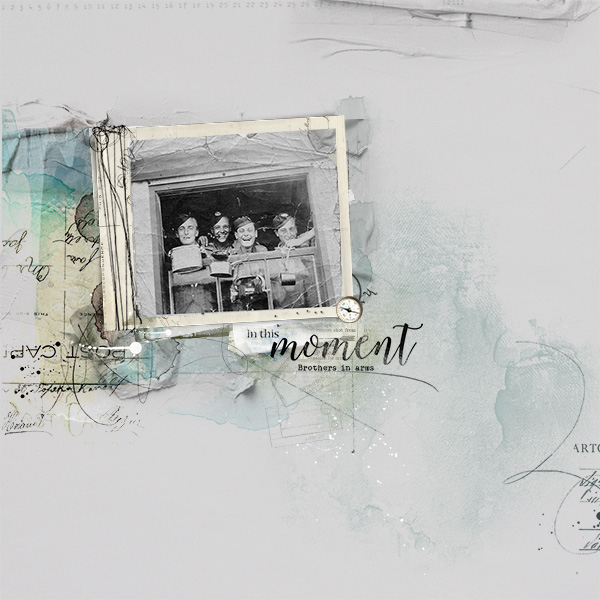
Process: The photo came first, I wanted to use this precious photo of The Great War. I started with a solid paper from the Arrive release , I positioned the photo horizontally and added the frame and tilted it slightly. I wanted all the texturing and staining to cluster under the photograph giving me plenty of negative space. Arrive Transfer No 2 was blended under the left side of the frame and blended using the darken mode at 100% to create a more transparent look, Art Transfer No 4 was added under the right side of the frame to create a creased look. I added a stitched element from Artsy Layered Template No 183 and a word transfer (blended using a multiply mode) from the Arrive kit to add more interest. Passport stamps were added and coloured to complement the colour scheme, I placed a rectangular line under the word art. Drips and stains were stamped in a soft complementary colour to add an Artsy touch. a few more touches, I stamped a brush from the Wall Texture release last week, a compass element was added to give dimension and a script like brush from Arrive was finally added to the right side, helping to draw the eye using the Remington Noiseless font I added the words comrade in arms.