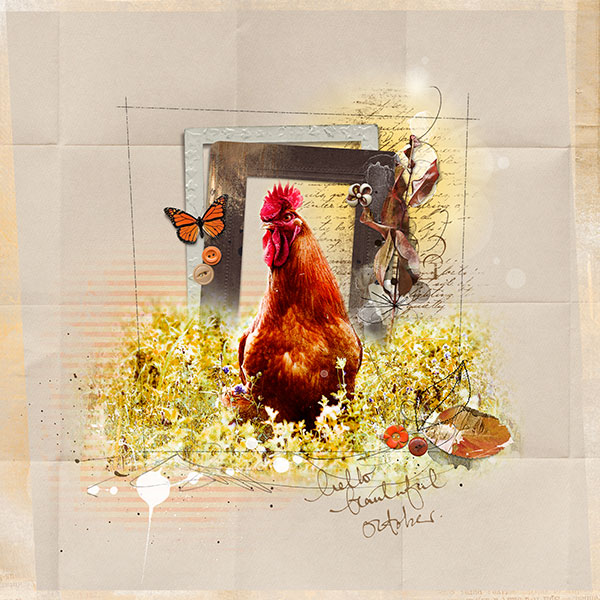
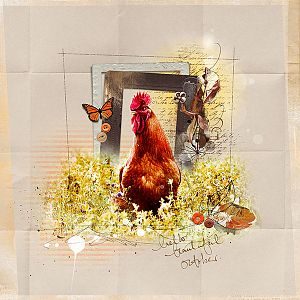
This is a photo of my rooster which we have named Ricky Ricardo because he loves to strut his stuff!
Anna Aspnes
Artplay Palette Hope (papers 1 & 3) [url=
http://www.oscraps.com/shop/product.php?productid=10010553&page=1]Artplay Palette Hope[/url]
Artplay Palette Tangier (striped paper, artstrokes, butterfly) [url=
http://www.oscraps.com/shop/product.php?productid=44538&page=1]Artplay Palette Tangier[/url]
Artplay Palette Woodland (button) [url=
http://www.oscraps.com/shop/search.php?mode=search&page=1]Artplay Palette Woodland[/url]
Artplay Palette Sea Foam (8x8 overlay) [url=
http://www.oscraps.com/shop/product.php?productid=27675&page=1]Artplay Palette Sea Foam[/url]
Artplay Palette Autumn Soul (buttons) [url=
http://www.oscraps.com/shop/product.php?productid=10010170&page=1]Artplay Palette Autumn Soul[/url]
Artplay Palette Forester (frame) [url=
http://www.oscraps.com/shop/product.php?productid=46289&page=1]Artplay Palette Forester[/url]
Artplay Palette Hello Autumn (button) [url=
http://www.oscraps.com/shop/product.php?productid=44987&page=1]Artplay Palette Hello Autumn[/url]
Artplay Palette Autumn Elegance (frame) [url=
http://www.oscraps.com/shop/product.php?productid=10010515&page=1]Artplay Palette Autumn Elegance[/url]
Artsy Blendz Squash (12x12 Overlay, recolored) [url=
http://www.oscraps.com/shop/product.php?productid=27606&page=1]Artsy Blendz Squash[/url]
ScriptTease Fall 2 [url=
http://www.oscraps.com/shop/product.php?productid=28804&page=1]ScriptTease Fall 2[/url]
MultiMedia Branches 4 [url=
http://www.oscraps.com/shop/product.php?productid=10010514&page=1]MultiMedia Branches 4[/url]
Warm Glows 1 [url=
http://www.oscraps.com/shop/product.php?productid=29651&page=2]Warm Glows 1[/url]
InkedWords Autumn 1 [url=
http://www.oscraps.com/shop/product.php?productid=10010509&page=1]InkedWords Autumn 1[/url]
Melange FotoBlendz 2 [url=
http://www.oscraps.com/shop/product.php?productid=10010552&page=1]Melange FotoBlendz 2[/url]
The Process
I began by selecting paper 3 from AP Hope and layered paper 1 over it, changing the blending mode to linear burn to allow the color and creases show. I added the photo, duplicated it 2 times (one layer artistic filter paint daubs, second layer artistic mode underpainting). On both layers the blending mode was changed to hard light and the opacity reduced. Then I added a layer mask and brushed out around the rooster and duplicated this onto the other photo layers. I added a frame from AP Autumn Elegance over the rooster (used a layer mask to hide the bottom of the frame) and added a frame from AP Forester behind the rooster. I clipped a striped paper from AP Tangier to a mask from Melange FotoBlendz 2 and placed it behind the frames. MultiMedia Branches, scriptTease, elements, a warm glow, strokes, overlays and word art were added to complete the page.
TFL