

pachimac
The World Needs Love, ❤️ Not Hate. Be a Lover.
Welcome to another installment of our journey into the concept of {RECLAIM}! We are so glad that you are joining us!!
This challenge is all about offering to you an invitation to take back what is already yours.
Reclaim is about returning to your voice, your creativity, your time, your joy, and the parts of yourself that may have been set aside, softened, or silenced along the way. Through our pages, we’ll explore what it means to come home to ourselves—layer by layer, mark by mark.
There is no right way to reclaim. It might look like bold colors and strong words, or simply textures or subtle symbolism. You may reclaim confidence, rest, creativity, boundaries, memories, or simply the permission to create without judgment.
This is a space for exploration, not perfection. Say what you want to say. Let your pages be whatever they come out to be: messy, tender, powerful, or playful. Most of all, let them be yours. You may choose any style of scrapping for our challenges. It's about getting feelings and thoughts on the digital paper - how you do it is completely up to you.
Art can be an act of healing, resistance, and renewal. Let’s reclaim—together.
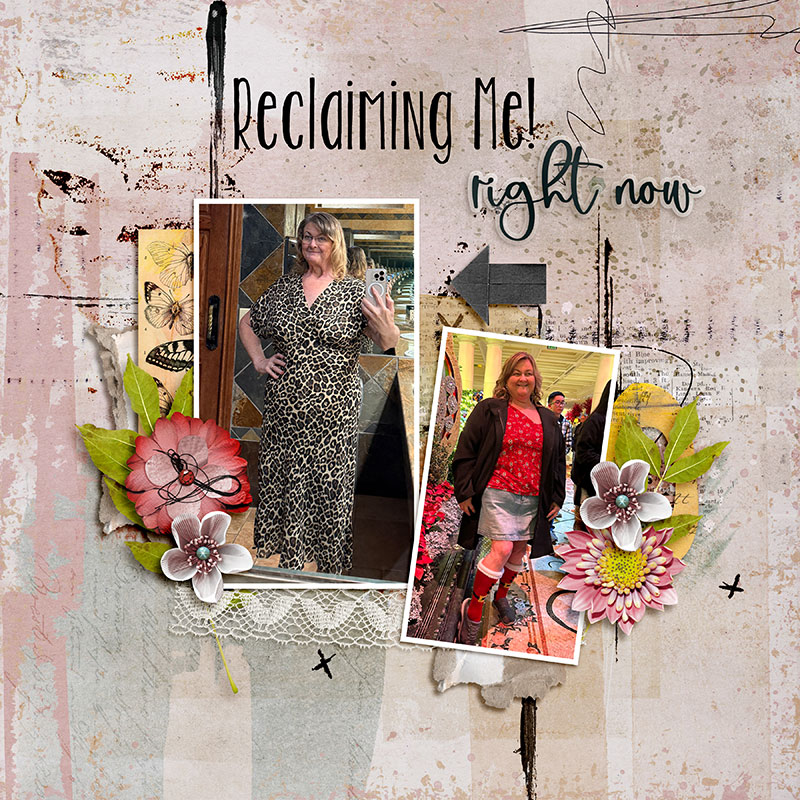
Here is my page:
All the rules and housekeeping stuff:
You have until 11:59 p.m. CST on December 31st to complete your pages for this challenge.
You must use at least 80% Oscraps products that are currently in the store (retired O designer products can be used whether the designer is selling elsewhere or not).
You need to credit all the products used on your page.
You cannot use a page you create for this challenge for another Oscraps challenge.
Upload your page to the gallery with the verbiage “Member Challenge” in the title and then add your layout to the challenge thread.
Adding a linked layout from the Gallery to a thread:
Upload your layout to the gallery first. In your forum post, click the Gallery Embed icon (little camera).
This will open your gallery; simply click on the layout you require, then scroll down to the bottom of the screen and click the Continue button.
Your linked layout is now in your post; the image will appear once you have clicked the Post Reply button.
We can't wait to see what you create!!
Cheryl & Susie
This challenge is all about offering to you an invitation to take back what is already yours.
Reclaim is about returning to your voice, your creativity, your time, your joy, and the parts of yourself that may have been set aside, softened, or silenced along the way. Through our pages, we’ll explore what it means to come home to ourselves—layer by layer, mark by mark.
There is no right way to reclaim. It might look like bold colors and strong words, or simply textures or subtle symbolism. You may reclaim confidence, rest, creativity, boundaries, memories, or simply the permission to create without judgment.
This is a space for exploration, not perfection. Say what you want to say. Let your pages be whatever they come out to be: messy, tender, powerful, or playful. Most of all, let them be yours. You may choose any style of scrapping for our challenges. It's about getting feelings and thoughts on the digital paper - how you do it is completely up to you.
Art can be an act of healing, resistance, and renewal. Let’s reclaim—together.
Here is my page:
All the rules and housekeeping stuff:
You have until 11:59 p.m. CST on December 31st to complete your pages for this challenge.
You must use at least 80% Oscraps products that are currently in the store (retired O designer products can be used whether the designer is selling elsewhere or not).
You need to credit all the products used on your page.
You cannot use a page you create for this challenge for another Oscraps challenge.
Upload your page to the gallery with the verbiage “Member Challenge” in the title and then add your layout to the challenge thread.
Adding a linked layout from the Gallery to a thread:
Upload your layout to the gallery first. In your forum post, click the Gallery Embed icon (little camera).
This will open your gallery; simply click on the layout you require, then scroll down to the bottom of the screen and click the Continue button.
Your linked layout is now in your post; the image will appear once you have clicked the Post Reply button.
We can't wait to see what you create!!
Cheryl & Susie
