Credits:
ANNA ASPNES DESIGNS
**AnnaRelease 25 October 2019** [url=
https://www.oscraps.com/shop/AnnaRelease-25-October-2019.html]AnnaRelease25Oct19[/url]
ArtPlay Palette Prismatic_SolidPaper4;EdgeOverlay1;LeafRed [url=
https://www.oscraps.com/shop/ArtPlay-Palette-Prismatic.html]APPPrismatic[/url]
Prismatic FotoBlendz No. 1_3 [url=
https://www.oscraps.com/shop/Prismatic-FotoBlendz-No.-1.html]PrismaticFotoBlendzNo1[/url]
MultiMedia Documents No. 5_1 [url=
https://www.oscraps.com/shop/MultiMedia-Documents-No.-5.html]MMDocumentsNo5[/url]
Color/colour WordART Mix No. 1_WALiveLife [url=
https://www.oscraps.com/shop/ColorColour-WordART-Mix-No.-1.html]ColorWordARTMixNo1[/url]
Process:
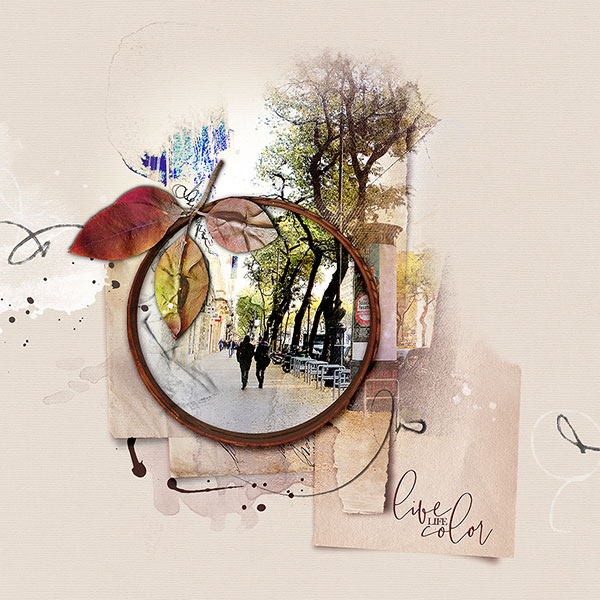
You have opened a new document. SolidPaper pulled it. | Added by layered FotoBlendz. | You opened the photo. He made two copies of it. The original was clipped on the FB mask. The copies were clipped on FB stains. | Added by MM Documents No.5_1. Most of the layers are placed below the bottom layer of FotoBlendz. | The MM frame and frame shadow placed it above Fotoglow green. | Added by EdgeOverlay, placed by LeafRed. | Opened and placed by WA, tinted to the color of the burgundy leaf. | Attached LeafRed to the frame with a seam element in MMDocuments. | He stepped back into the Frame layer. Opened a new layer. Tinted it to WA. Deleted the frame within the frame using a layer mask. Changed layer blending to Soft Light.
(I changed the properties of some layers in the process. Size, blending, visibility.)
Thanks for looking!
I do not speak English. I'm using Google Translator - sorry! I will answer your question!
Margo